RecyclerView is a more flexible replacement for ListView. According to the official documentation, it efficiently maintains a limited collection of scrolling data items, and is recommended when your Views need to interact with user gestures and network data.

Key Advantages
RecyclerView simplifies View display and data handling in two main areas:
- Layout positioning — Managed by LayoutManager
- Item animations — Built-in add/remove animations with customization support
Basic Usage
RecyclerView requires a LayoutManager and an Adapter (extending RecyclerView.Adapter). The LayoutManager handles item positioning, recycling, and reuse, avoiding unnecessary overhead like findViewById.
Built-in LayoutManagers:
| LayoutManager | Effect |
|---|---|
LinearLayoutManager | Vertical or horizontal scrolling list |
GridLayoutManager | Grid layout |
StaggeredGridLayoutManager | Staggered grid layout |
Animations
RecyclerView enables add/remove animations by default. To customize, extend RecyclerView.ItemAnimator and call RecyclerView.setItemAnimator().
Reference implementation: RecyclerViewItemAnimators
Click Handling
RecyclerView does not have an onItemClickListener like ListView. The reason is that the original onItemClickListener was often confusing — RecyclerView has no strict row or column concept, so each Item View handles its own click events.
Further discussion: Why doesn’t RecyclerView have onItemClickListener()?
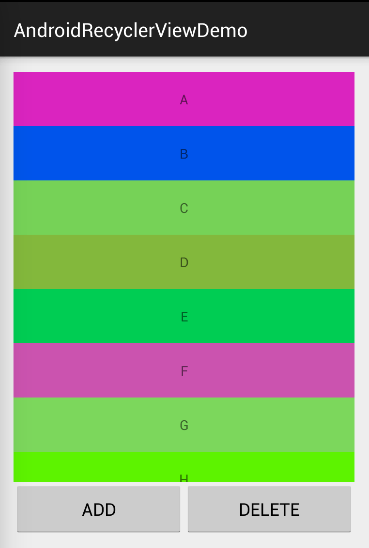
LayoutManager Details
LinearLayoutManager
Behaves like ListView by default, with additional configuration options:
| |
orientation is HORIZONTAL or VERTICAL; reverseLayout controls reverse ordering.
| |
setStackFromEnd(true) displays items starting from the bottom, but has no effect when the data set changes.
GridLayoutManager
| |
Two constructors:
GridLayoutManager(Context context, int spanCount)— default vertical layout,spanCountcontrols columnsGridLayoutManager(Context context, int spanCount, int orientation, boolean reverseLayout)— same options asLinearLayoutManager